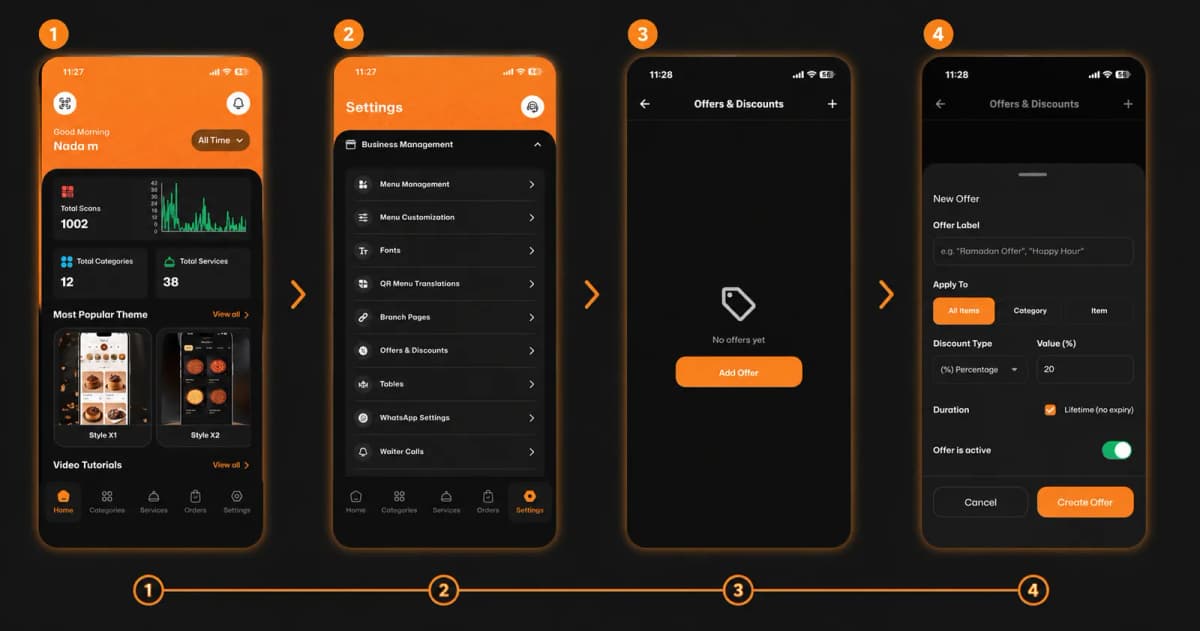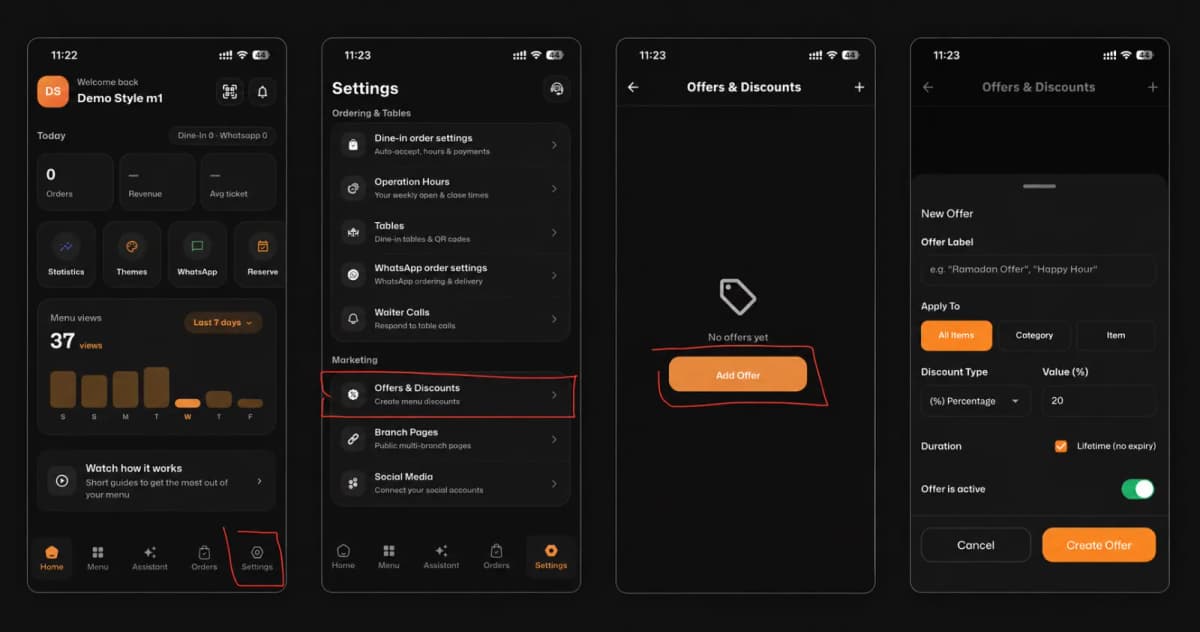
Welcome to the easiest way to boost your sales and reward your customers! Setting up custom offers and discounts on eMenu AI is quick, simple, and takes just a few moments. Follow these 4 easy steps to get started:
*This smart link automatically redirects you to the Apple App Store, Google Play, or Web App based on your device.
Step 1: Open Your Settings
First, open the app. On your main dashboard, look at the bottom menu bar and tap on the Settings icon (located in the bottom right corner).
Step 2: Navigate to Marketing
In the Settings menu, scroll down until you find the "Marketing" section. Tap on Offers & Discounts to manage your promotions.
Step 3: Add a New Offer
If you don't have any active promotions yet, the screen will be empty. Tap the bright orange Add Offer button in the center of the screen to start creating your new deal.
Step 4: Customize Your Offer Details
Now it’s time to build your promotion! Fill in the required details:
Offer Label: Give your deal a catchy name (e.g., "Ramadan Offer", "Happy Hour").
Apply To: Choose whether this discount applies to All Items, a specific Category, or a single Item.
Discount Type & Value (%): Select if the discount is a Percentage (%) or a fixed amount, and enter the number.
Duration: Check the "Lifetime (no expiry)" box for a permanent deal, or set a specific timeframe.
Make sure the Offer is active toggle is switched on (green), then hit Create Offer.
🎉 Congratulations!
Your new offer is successfully created and active. You are now ready to attract more customers and boost your revenue with eMenu AI!