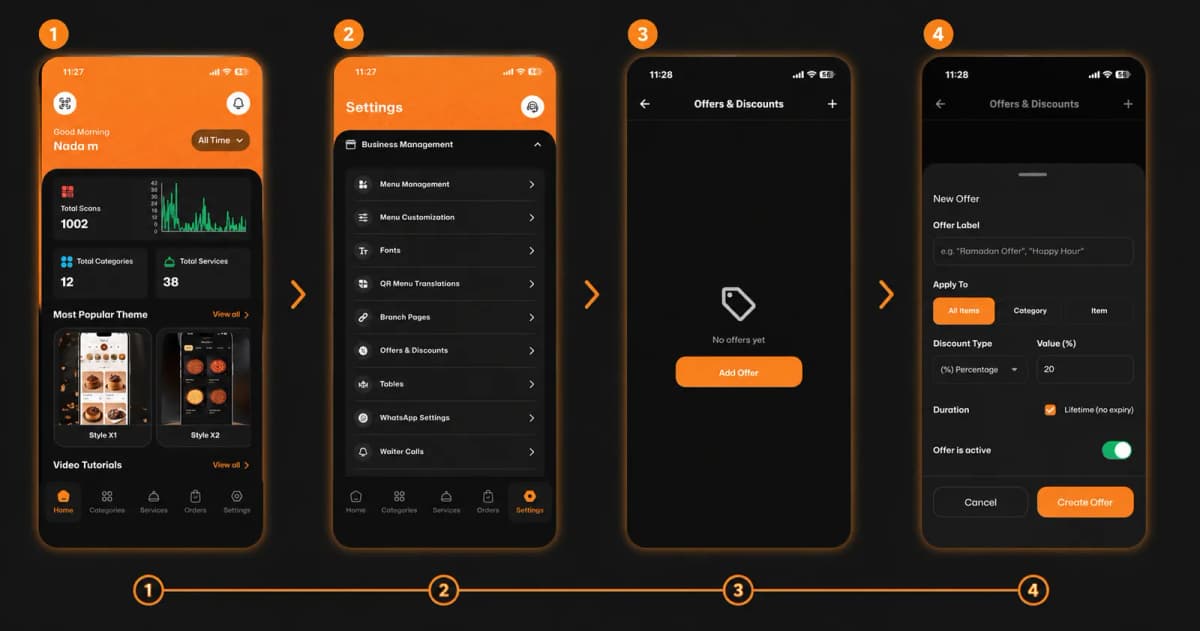
Ready to attract more customers and boost your sales? Creating special promotions, happy hours, or seasonal discounts on eMenu AI is incredibly simple. Follow these 4 easy steps to get your offers running in no time:
*This smart link automatically redirects you to the Apple App Store, Google Play, or Web App based on your device.
Step 1: Go to Your Settings
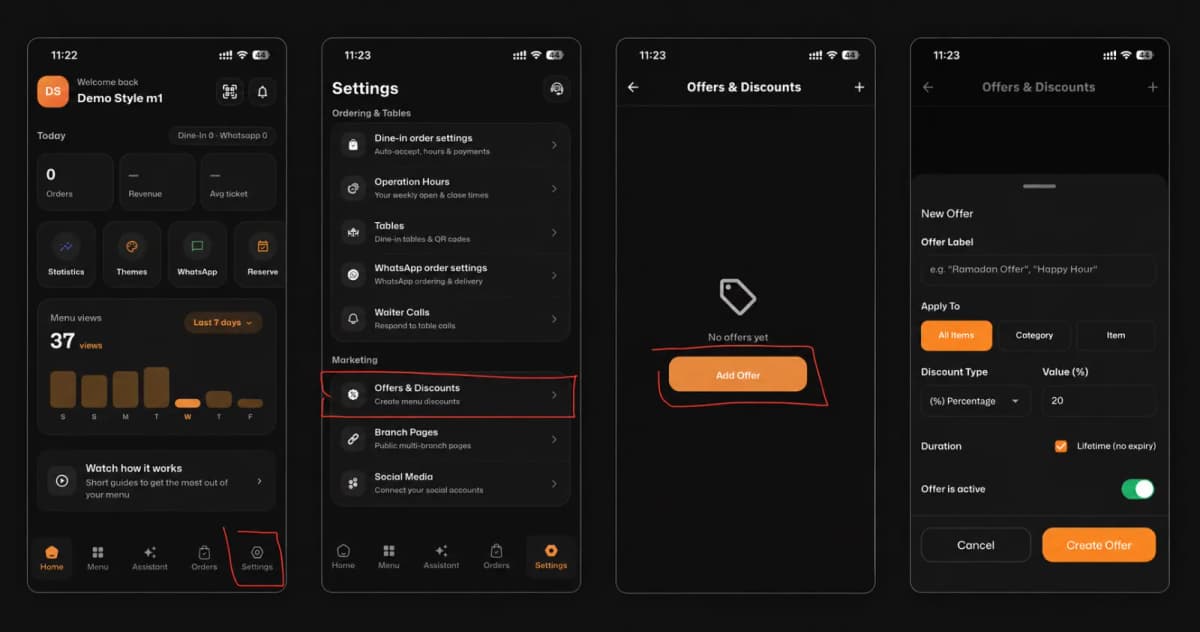
From your main eMenu AI dashboard (where you see your total scans and popular themes), look at the bottom navigation bar. Tap on the Settings icon located at the bottom right corner.
Step 2: Navigate to Offers & Discounts
Once you are in the Settings menu, locate the Business Management section. Scroll down slightly and tap on the Offers & Discounts option.
Step 3: Add a New Offer
You are now in the Offers & Discounts center. If this is your first time, the screen will show "No offers yet." Simply tap the bright orange Add Offer button right in the middle (or use the "+" icon at the top right) to start building your promotion.
Step 4: Customize Your Offer Details
Now it’s time to set the rules for your discount! Fill out the simple form with the following details:
Offer Label: Give your promotion a catchy name (e.g., "Ramadan Offer", "Happy Hour", or "Summer Special").
Apply To: Choose exactly what gets discounted. You can apply it to All Items, a specific menu Category, or just a single Item.
Discount Type & Value: Choose your discount format (like a Percentage) and enter the number (e.g., 20%).
Duration: Let it run forever by checking Lifetime (no expiry), or set a specific timeframe.
Activation: Make sure the Offer is active toggle is switched on (green)!
Once everything looks perfect, hit the Create Offer button at the bottom of the screen.
🎉 Congratulations!
Your special offer is now live and automatically applied to your digital menu. You are ready to excite your customers and drive more sales with eMenu AI!