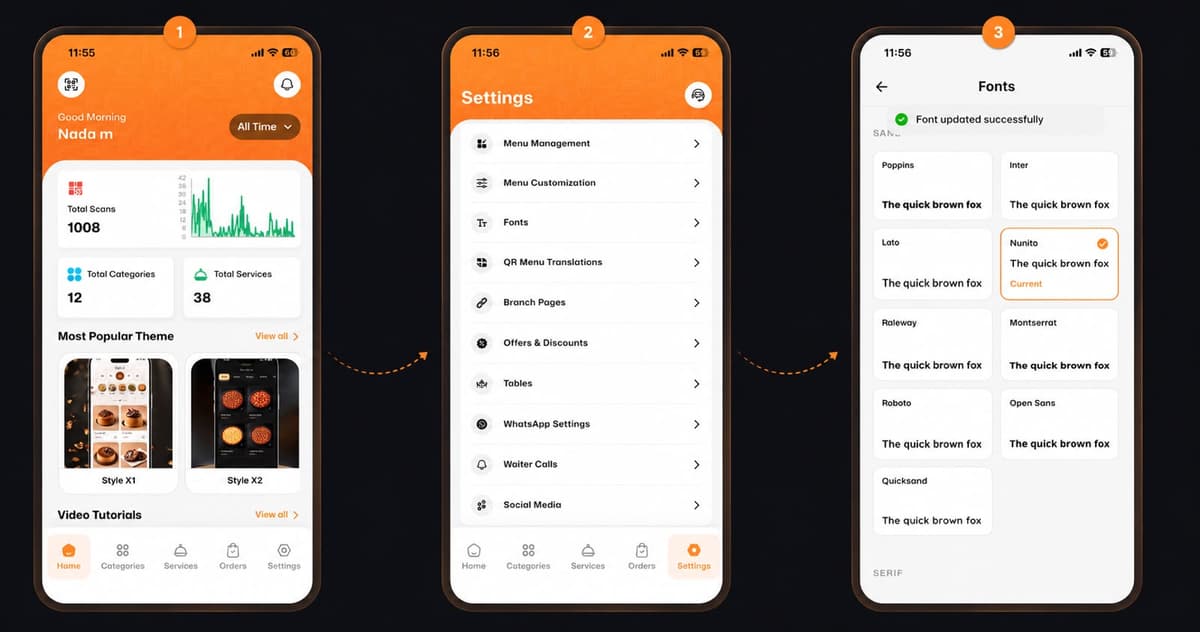
Welcome back! Customizing the look and feel of your digital menu is quick, simple, and takes just a few seconds. Want to give your menu a fresh new style? Follow these 3 easy steps to change your font:
*This smart link automatically redirects you to the Apple App Store, Google Play, or Web App based on your device.
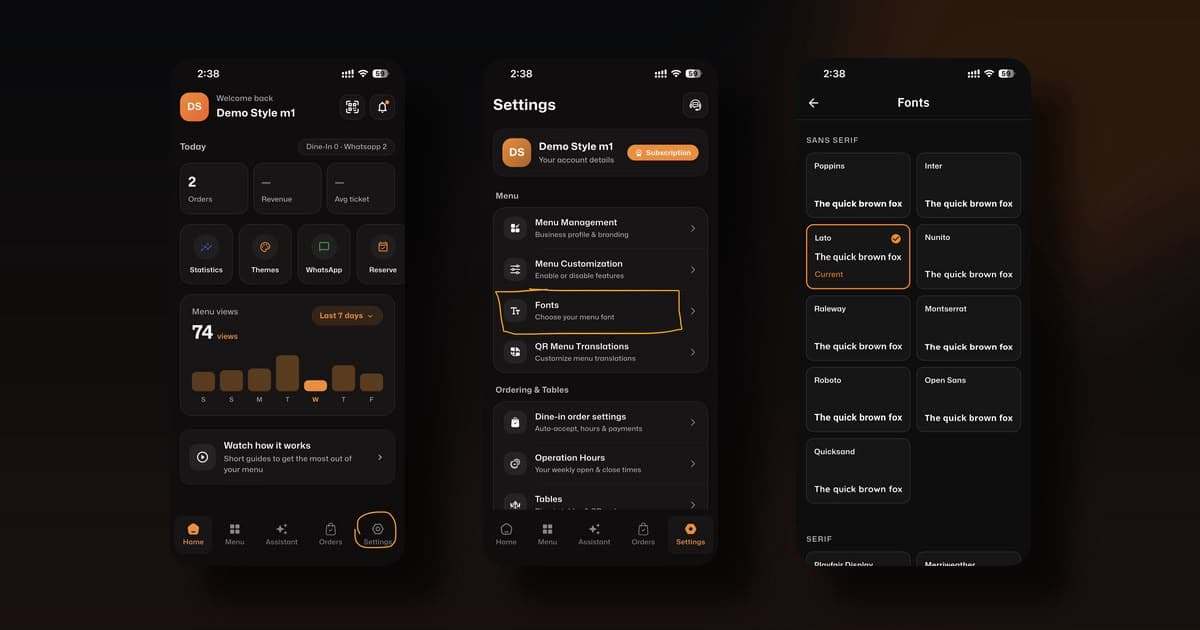
Step 1: Open Settings
From your home dashboard, navigate to the bottom menu and tap on the Settings icon (the gear shape in the bottom right corner).
Step 2: Choose Fonts
Next, scroll down to the Menu section and tap on Fonts (Choose your menu font).
Step 3: Select Your Favorite Font
Now it’s time to customize! Browse through the beautiful styles available (like Poppins, Inter, or Lato) and tap your preferred font to set it as your Current style.
🎉 Congratulations!
Your new font is instantly applied. You are now ready to impress your customers with a menu that perfectly matches your brand identity!