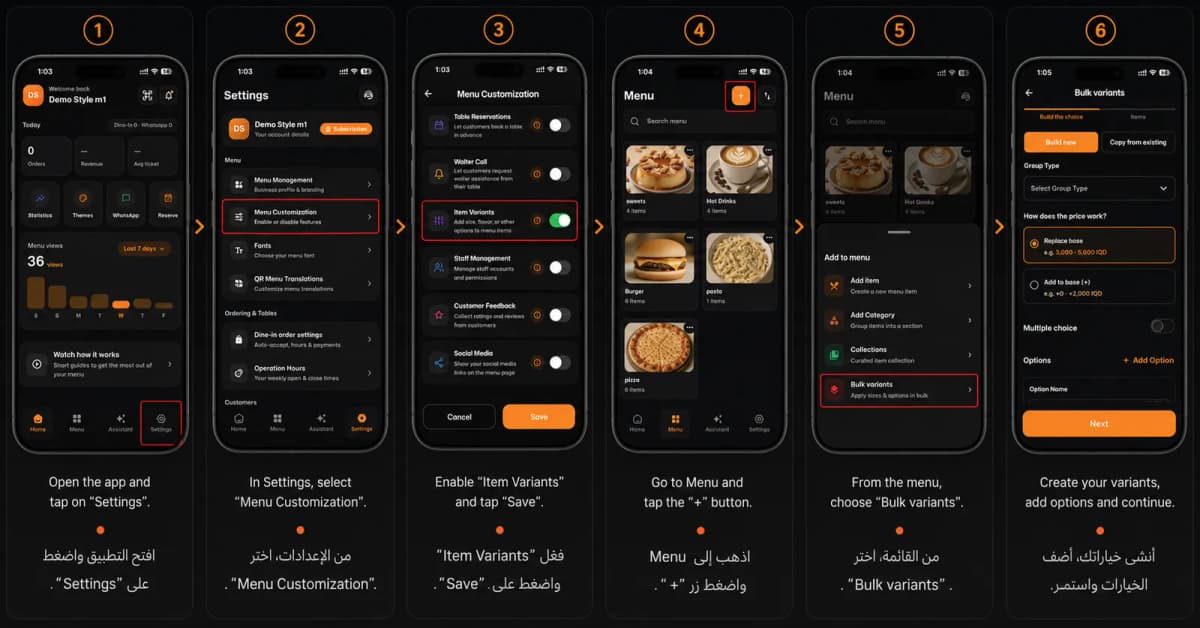
Welcome to advanced menu management! Setting up bulk variants (like sizes, flavors, or add-ons) for your items on eMenu AI is quick and easy. Follow these 6 simple steps to customize your menu options:
*This smart link automatically redirects you to the Apple App Store, Google Play, or Web App based on your device
Step 1: Open Settings
Open the app and tap on "Settings" located at the bottom right corner of your screen.
Step 2: Access Menu Customization
In the Settings menu, select "Menu Customization".
Step 3: Enable Variants
Toggle the switch to enable "Item Variants", then tap the "Save" button at the bottom.
Step 4: Add to Menu
Go to the "Menu" tab (at the bottom of the screen) and tap the "+" button at the top right corner.
Step 5: Select Bulk Variants
From the pop-up options menu, choose "Bulk variants".
Step 6: Create Your Variants
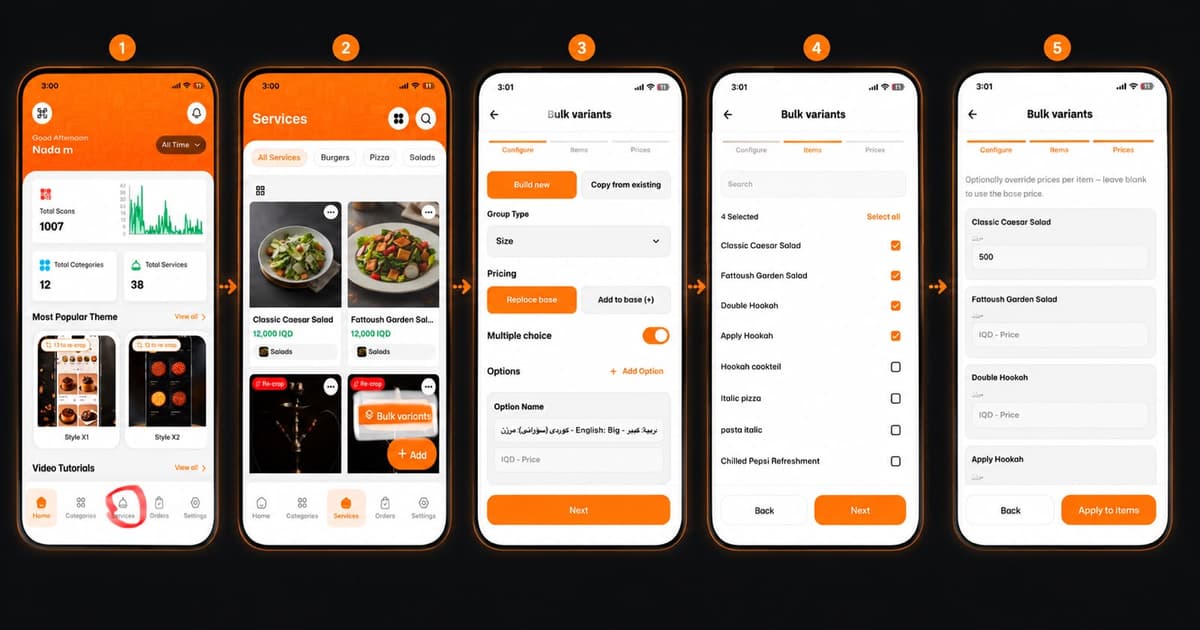
Create your variants, add options (like choosing group types and adjusting prices), and tap "Next" to continue and apply them to your menu items.
🎉 Congratulations!
Your bulk variants are now set up. You are ready to give your customers more choices and a better ordering experience with Get Started Now 🚀