How to Manage Your Orders on the eMenu AI App: A Step-by-Step Guide
Welcome to seamless order management! Tracking and processing your orders on eMenu AI is quick and easy. Follow these 3 simple steps to manage both dine-in and delivery orders efficiently:
*This smart link automatically redirects you to the Apple App Store, Google Play, or Web App based on your device.
Step 1: Access the Orders Section
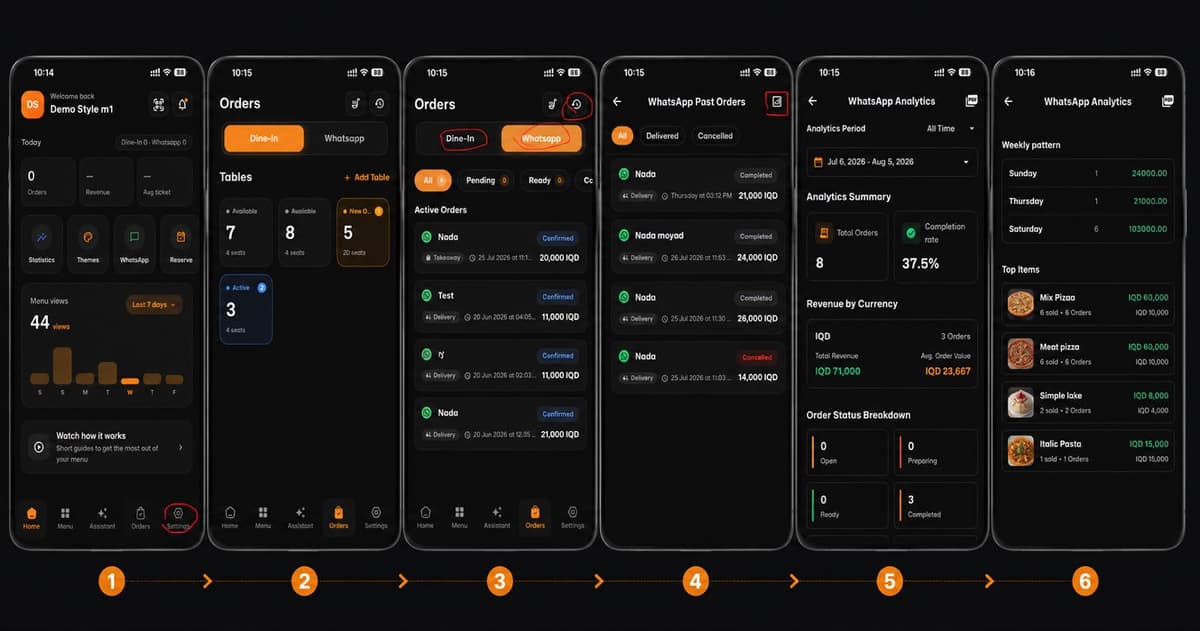
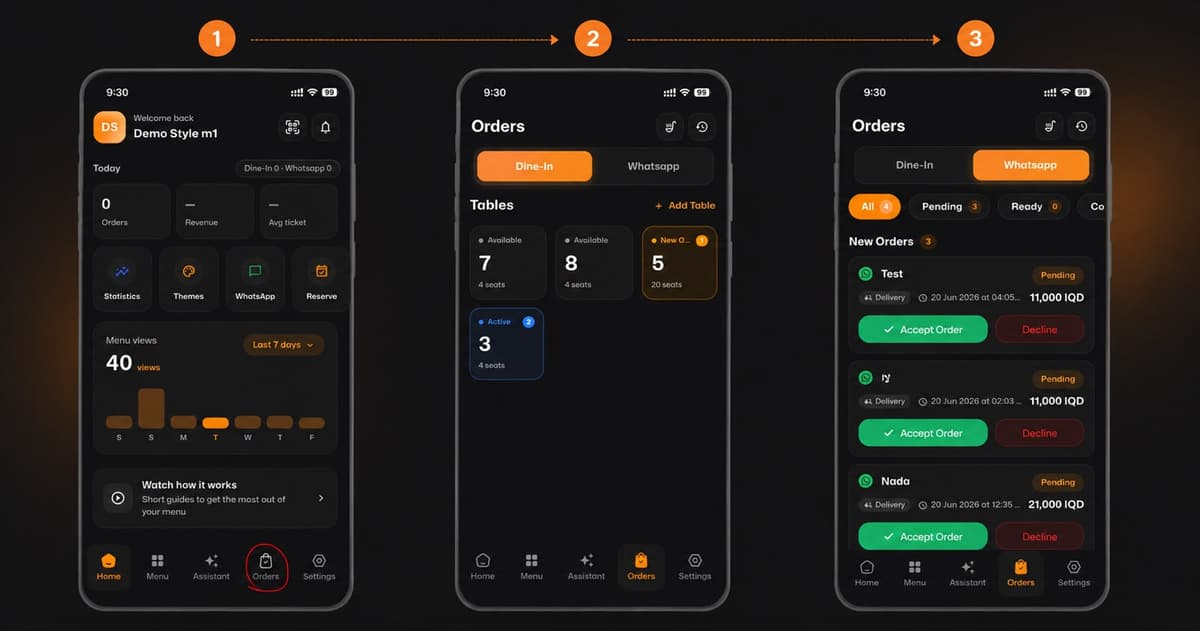
From your home dashboard, navigate to the bottom menu. Tap on the Orders icon (marked with a shopping bag) to view all your current business activities.
Step 2: Manage Dine-In Orders
At the top of the Orders screen, select the Dine-In tab. Here, you can monitor all your restaurant tables in real time. You can easily see:
Which tables are Available.
Which tables have New Orders.
Which tables are currently Active.
Step 3: Handle WhatsApp Delivery Orders
Switch to the Whatsapp tab right next to Dine-In. Here you can view all pending delivery or pickup requests. You can easily review the order details and the total price, then choose to either Accept Order or Decline with a single tap.
🎉 Congratulations!
Your order management setup is complete. You are now ready to handle all your customer orders like a pro and keep your business running smoothly with eMenu AI!